
A couple of years ago, I started working with laser engraving and cutting machines in my craft and DIY projects. I started with the xTool M1 and the Glowforge Aura machines – both of which have expanded my crafting abilities and given me an appreciation for the role technology can play in creating.
Because of that, I was excited to try out the new xTool F2 Ultra UV laser. Given the laser type (ultraviolet cold laser as opposed to diode) and other characteristics I’ll talk about later in this post, the F2 Ultra UV has even more power and project possibilities. I can’t wait to show you some of what it can do!
Thank you to xTool for giving me this xTool F2 Ultra UV laser for the purpose of this review. The opinions expressed in this post are all my own. Also, this post contains affiliate links. Please read my disclosure policy for more information.
What is it
The xTool F2 Ultra UV is a 5-watt laser machine that works with cold-processing technology to cut and engrave materials like wood, glass, metal, acrylic, and more.
Setting up the xTool F2 Ultra UV
The F2 Ultra UV arrived in one large box. Weighing in at around 50 pounds, it was too heavy for me to lift alone. My teenage son and I were able to get it inside the house and remove it and the included components from the box. And from there, we carried it into the basement where I planned to set it up.
Setup was incredibly easy. Much easier than I expected! I placed it onto a rolling cart, and I attached it to my original xTool air purifier (no longer sold) since I don’t have windows in the basement to ventilate out of.
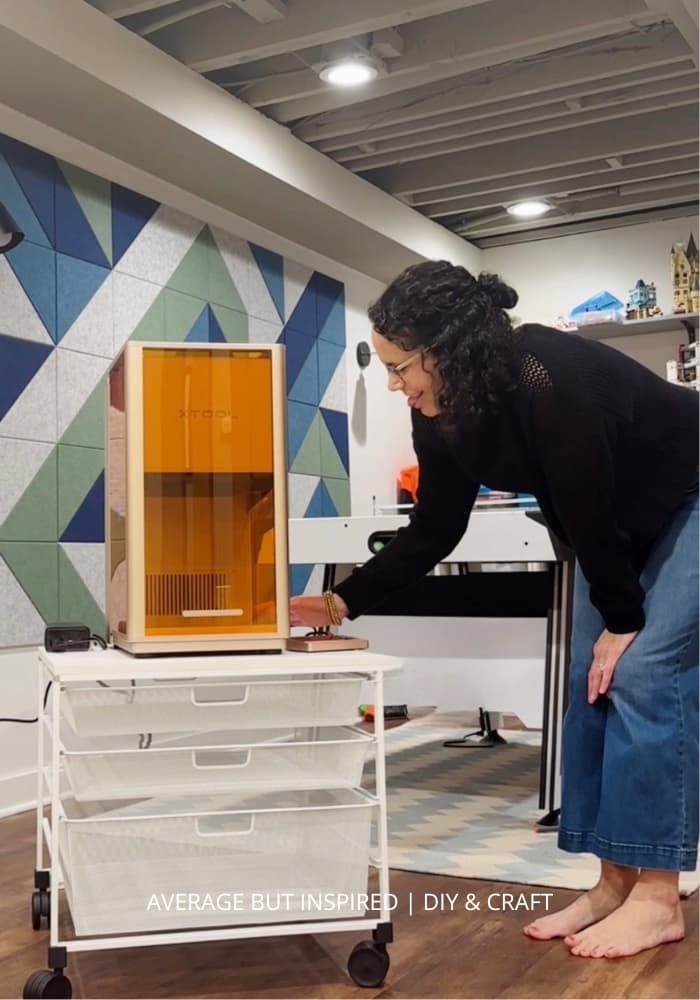
If you’re using the xTool F2 Ultra UV inside, you must have either a window to run the exhaust tube out of, or you need to purchase an xTool air purifier.
Getting started
The F2 Ultra UV came with a quick start guide, so it was easy to get everything connected to my computer (you’ll need to download the free xTool Studio software if you don’t already have it).
From there, it walked me through calibrating the laser, which took just minutes, and then engraving the first project, which was a metal business card. It took seconds to engrave the business card, and I was so excited to have completed a project almost immediately after setting it up!

What makes it different
Technically speaking, the xTool F2 Ultra UV is a cold processing laser, which means it doesn’t use thermal energy (like the xTool M1 or other diode lasers do) to engrave or cut. Immediately, the biggest difference I noticed is NO CHARRING on wood projects as I experienced with my diode lasers. This was huge!
Another big difference is that this laser is so fine and precise that the level of detail it can create is incredible as compared to the diode lasers I also own.
And finally, and probably the most important to crafters and DIYers, is that the xTool F2 Ultra UV is compatible with many more materials than typical diode lasers, including clear glass and acrylic and even engraving inside of glass! (Yes, that’s worth an exclamation point!)
My early projects with the F2 Ultra UV
I already showed you that within minutes of setup, I was able to engrave a metal business card. That was the test project xTool has everyone complete, and I couldn’t wait to start testing the laser with a variety of other materials.
Wood keychain
Since it was World Cup time, my son and I made a wood keychain for him. I was astonished at how fast the laser engraved and cut this keychain. It took 37 seconds! I also noticed that it had hardly any smoke smell, unlike when I cut and engrave wood with my diode laser.
Slate coaster
Next we attempted a slate coaster of his favorite soccer team, Arsenal. This took us a few tries to get the settings correct, but we just kept re-engraving and eventually got it to show up.
I don’t think it’s perfect yet, but we’ll keep working!
Crystal LED keychain
Because I’m obsessed with my dog and wanted to see the fine detail capabilities of the xTool F2 Ultra UV, I decided to engrave his cute little face onto an LED crystal keychain. I uploaded his photo to xTool Studio and found settings in Atomm (the xTool community project platform).
I was amazed at how precise the photo transferred to the crystal! He has so much fur, and because it’s small and the crystal is clear, it’s hard to see the detail in this photograph.
Fine detail like this is hard to appreciate on a clear surface like this keychain, so I also engraved the same photo onto a wooden keychain to show you that clarity.
Like the other projects, this one took just minutes to complete.
Glass mirrors
Once I felt confident with some of these beginner projects, I decided to try my hand at something bigger. I found gold beveled mirrors at Dollar Tree and wanted to see what I could do with them.
I engraved floral designs into the backs of the mirrors so that they’re visible from the front, and I absolutely love how I was able to transform plain mirrors into vintage-inspired beauties!
You can read my tutorial for engraving mirrors in the linked blog post!
Inner glass engraving
One thing that is absolutely incredible about F2 Ultra UV is the ability to create amazing 3D images inside of glass cubes and spheres.
This requires changing out a lens inside of the F2 Ultra UV (the inner engraving lens IS included), and adding in a special riser plate within the machine (also included).
Inner engraving is the next thing I will try on this machine, though I haven’t done it yet. If you’re curious about what this type of engraving looks like, you can see many examples on Atomm, which is the xTool community project platform.
10 Things I Love About the xTool F2 Ultra UV
While I’m still learning all about this laser, based on these projects I’ve completed, I know enough to tell you what I think are the top ten things to love about this machine.
1. Fast processing time: I can’t get over how quickly this machine engraves and cuts as compared to my diode lasers.
2. Wide variety of compatible materials: I really don’t think there’s anything I can’t use in the F2 Ultra UV. The clear materials capability (with no additional prep work or modifications) is a game changer.
3. Minimal odor: Even when I cut wood in the F2 Ultra UV, there is hardly any odor.
4. Business opportunities: Seriously – check out this page on xTool’s website. It shows potential profits associated with various products you can make on the F2 Ultra UV, and it has me thinking I need to open an Etsy shop!
5. Inner engraving: I can’t say it enough, but this is crazy. I can’t believe I can engrave inside crystal and glass at home.
6. Level of detail: the precision is outstanding. Detail in photographs comes through astonishingly well on any surface. It’s actually hard to believe.
7. Small footprint: in the early days, laser machines were gigantic. This just takes up a small corner in my basement.
8. No subscription required to use the software: xTool Studio is totally free, and I really appreciate that! Glowforge charges a subscription for most of the features in their required software, and that’s really annoying.
9. Materials require limited, if any, prep: The cold processing nature of the F2 Ultra UV means that masking is not necessary. This saves time and material, and I love this feature.
10. Rotary attachment and conveyor open up the possibility of even more projects: The F2 Ultra UV even accommodates engraving of cylindrical objects (think drinking glasses) with the additional RA3 rotary attachment, and objects up to 200 x 500 mm (almost 8 inches x 20 inches) with the conveyor attachment.
Negatives of the xTool F2 Ultra UV
The positives of the xTool F2 Ultra UV are abundant, but there are just a few things that I think could make this machine even more attractive.
High cost
First is the cost. It is definitely an investment. However, if you will use it and not let it be a dust collector, it’s totally worth it. And, the xTool site shows you how quickly you can recoup your cost if you’re using the machine to create and sell products. So, while it is expensive, it could be totally worth it for you.
Lack of directions
The next negative is the lack of project-related directions. I recognize that this is sort of the nature of the beast because every project is different, materials used will be different, and even each machine will slightly differ from the others. However, I do think a general overview guide would be really helpful.
There is a beginner tutorial course on the xTool website, but I didn’t find it to be all that helpful. It really takes some time searching online to find what you need to learn how to do, plus some testing of your own to get settings just right. So, when trying out a new material, it’s a good idea to have extra of that material so you can play around with the settings.
Weight of machine
Finally, the last negative is that the xTool F2 Ultra UV is heavy (to me at least), and definitely not portable. So I do think a rolling cart, as I have, is helpful if you want to move it at all. And I would not expect to bring this to a craft fair, for example, to do engraving on the spot. This is definitely a set it in place and leave it there machine.
As you can tell, none of these is a dealbreaker, and there are far more positives than negatives, in my opinion.
***
For me, a person who crafts and is constantly doing DIY projects, the xTool F2 Ultra UV is a machine that has endless possibilities. I am really enjoying getting familiar with it and thinking of ways I can incorporate it into my repurposing and upcycling projects.
I am also seriously thinking about how I could use it to create another revenue stream for myself. I can really see that the potential is there to create a small business with the F2 Ultra UV at its core.
It’s a powerful machine that unlocks a whole other realm of creative possibilities, and because of that, I highly recommend it.
Let me know if you have any questions in the comments below! I’ll do my best to answer them for you.